Hi ,
I am developing the "Virtual WiFi Hotspot".
Good news is... soon it will be share to you all and it will be completely free to use.
Please comment what features do you require in Virtual WiFi Hotspot.
It will have a cool Looking UI for Sure.
Who can use this application ?.
Well most of windows users can take advantage of the Virtual WiFi Hotspot, But you should have a Virtual WiFi Adapter on your Laptop or desktop which has "Windows 7" or "windows 8" Operating system.
So what is Virtual WiFi hotspot ?
virtual wifi hotspot is a software which will create a hotspot or you can call virtual access point or virtual router.
Your wifi card on your laptop or desktop (windows 7 and higher) not only connects to a wifi
router but also can create a virtual hotspot on the same windows laptop /desktop you are using.
I have a WiFi Router why do I need Virtual WiFi Hotspot ?
If you have a LTE dongle or a 3G internet USB dongle or a 1X EVDO USB stick then it will be very useful or You have a broadband terminates to your house with a Ethernet socket

You can use it for extending your wifi network signal.
Assume if your iphone / Android Phone /Playstation for some reason is not able to connect beyond 20 Feet then you can use a spare laptop running Virtual WiFi Hotspot in between you and the actual Wireless router.
If one has a 3G dongle or LTE dongle and all of the students in a class room can have internet.
One who has 3G dongle has to create a hotspot and share internet and others can connect to the hotspot and even they can create a Hotspot and can be repeated.
Virtual WiFi Hotspot software should be always on your desktop it will be handy like winrar.
If you are a hacker and a Geek then please buy a actual route.
My suggestion would be either you use ASUS router or Linksys router so that you can put tommato or dd-wrt firmware and play arround .
I have a classical linksys wrt54g

Please share your hacks and comments :)
Thanks
Harsha
I am developing the "Virtual WiFi Hotspot".
Good news is... soon it will be share to you all and it will be completely free to use.
Please comment what features do you require in Virtual WiFi Hotspot.
It will have a cool Looking UI for Sure.
Who can use this application ?.
Well most of windows users can take advantage of the Virtual WiFi Hotspot, But you should have a Virtual WiFi Adapter on your Laptop or desktop which has "Windows 7" or "windows 8" Operating system.
So what is Virtual WiFi hotspot ?
virtual wifi hotspot is a software which will create a hotspot or you can call virtual access point or virtual router.
Your wifi card on your laptop or desktop (windows 7 and higher) not only connects to a wifi
router but also can create a virtual hotspot on the same windows laptop /desktop you are using.
I have a WiFi Router why do I need Virtual WiFi Hotspot ?
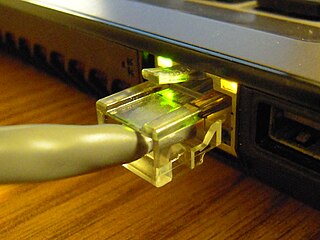
If you have a LTE dongle or a 3G internet USB dongle or a 1X EVDO USB stick then it will be very useful or You have a broadband terminates to your house with a Ethernet socket
You can use it for extending your wifi network signal.
Assume if your iphone / Android Phone /Playstation for some reason is not able to connect beyond 20 Feet then you can use a spare laptop running Virtual WiFi Hotspot in between you and the actual Wireless router.
If one has a 3G dongle or LTE dongle and all of the students in a class room can have internet.
One who has 3G dongle has to create a hotspot and share internet and others can connect to the hotspot and even they can create a Hotspot and can be repeated.
Virtual WiFi Hotspot software should be always on your desktop it will be handy like winrar.
If you are a hacker and a Geek then please buy a actual route.
My suggestion would be either you use ASUS router or Linksys router so that you can put tommato or dd-wrt firmware and play arround .
I have a classical linksys wrt54g

Please share your hacks and comments :)
Thanks
Harsha
